 LikeThis
Then and now photos that really line up
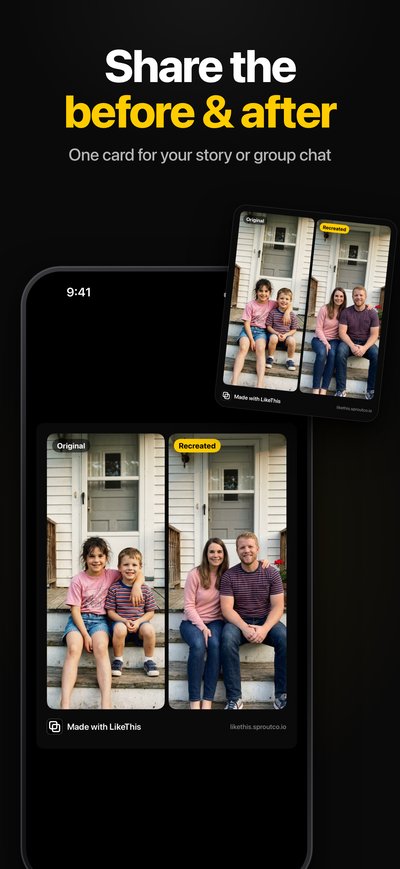
A then-and-now photo works when both photos are taken from the same position. LikeThis shows the 'then' photo as a see-through ghost on your iPhone camera. You line up the scene with it and take the 'now' photo, so the two match in framing, angle, height and distance.
Last updated: 2026-10-19
Then and now photos people take
- Places: the same street, the same view, the same landmark on a second trip.
- Homes: before and after a renovation, room by room.
- Bump and baby: one photo a month, same wall, same distance.
- Gardens and plants: the same corner every season.
- Fitness: progress photos from the same spot and height.
Why most then-and-now photos do not line up
A few steps to the side or a phone held a little lower changes the whole picture. When the two photos do not line up, the eye sees the camera move instead of the change you want to show. The fix is to see the old photo while you take the new one.
How to take one with LikeThis
- Open the old photo in LikeThis. It appears as a ghost over the camera.
- Stand where you stood before. Look at fixed things: door frames, windows, the horizon.
- Move until those things sit on the ghost. Use the slider to make the ghost faint or strong.
- Take the shot. LikeThis crops it to the shape of the old photo and shows a before-and-after slider.
- Save it, or share the side-by-side card.
Tips for monthly progress photos
- Mark the spot on the floor with tape, and use the same wall.
- Take the photo at the same time of day, so the light comes from the same side.
- Use the self-timer and a stand if you take the photo of yourself.
Related
Questions people ask
What is a then and now photo?
Two photos of the same scene taken at different times, from the same position, shown side by side. The change between the two is the story: a child who grew, a house you renovated, a city that changed.
What is the best way to take progress photos that line up?
Use the last photo as a guide on the camera. Stand in the same place, at the same distance, with the phone at the same height. LikeThis shows the last photo as a ghost, so each new photo lines up with it.
What app puts a photo over the camera so you can take it again?
LikeThis does this on iPhone. You pick a photo, and LikeThis shows it as a see-through ghost on top of the live camera. You move until the scene sits on the ghost, then take the shot. Other photo overlay camera apps exist too; see the comparison.
Is LikeThis free?
LikeThis is free to download, and your first shot is free. To keep shooting, you need LikeThis Pro: $4.99 a week or $29.99 a year, both with a 3-day free trial, or a one-time lifetime purchase. These are US prices on 2026-10-19; the App Store shows the price in your currency.
Next time, ask with the photo.
For iPhone and iPad with iOS 16 or later. Your first shot is free.